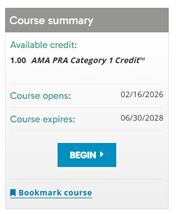
Click the "BEGIN" button in the Course Summary box on the right |
|
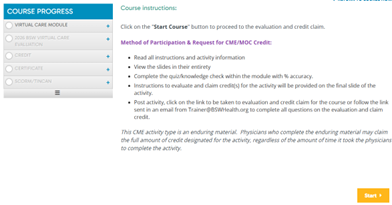
On the Welcome page, click the yellow "Start" button |
|
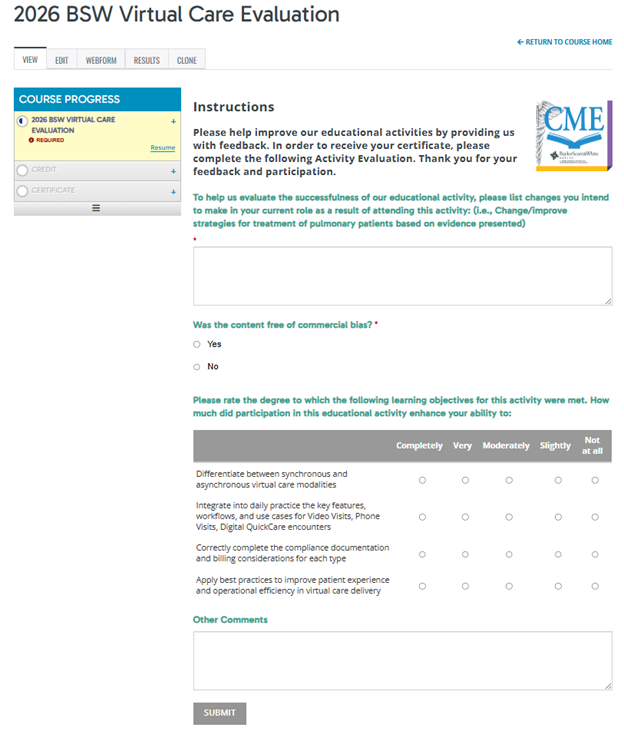
Complete the Evaluation, click the gray "SUBMIT" button |
|
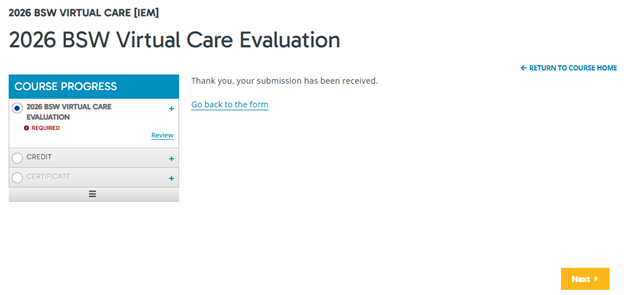
You will receive a submission confirmation, click the yellow "Next" button |
|
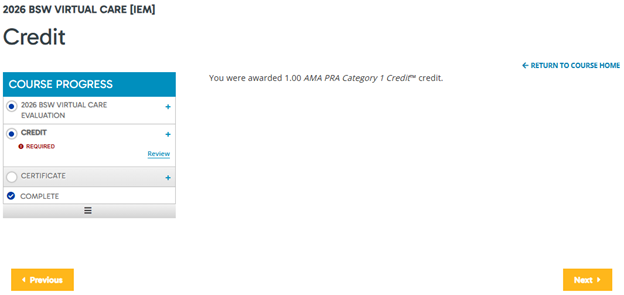
Credit for enduring material is automatically awarded. You will receive a submission confirmation listing awarded credit, click the yellow "Next" button. |
|
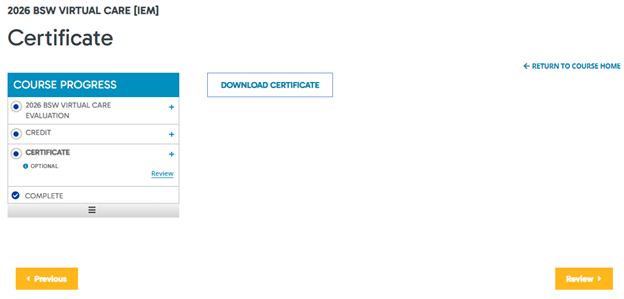
Click "DOWNLOAD CERTIFICATE" |
|
|
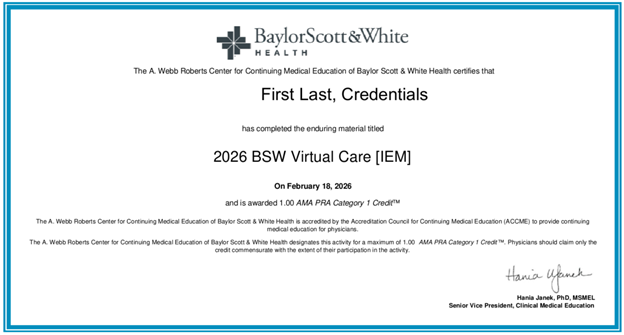
Certificate will download to default file for downloads. Open certificate |
|
NOTE: CERTIFICATES AVAILABLE ONLINE ON DEMAND!Access your certificates at https://ce.bswhealth.com in "MY ACTIVITIES" > "Completed Activities"Click "DOWNLOAD" for each certificate type to print or save your certificatesTranscript Download also available by title or date, enter parameters and click "Download PDF" |

 Facebook
 X
X LinkedIn
 Forward